Home / Blog / Make.com Automation: What It Is and How Businesses Use It
Make.com Automation: What It Is and How Businesses Use It
Discover how Make.com automation connects business tools, streamlines repetitive tasks, and improves workflow efficiency. Learn how it works, its common business applications, limitations, and when professional automation setup can help your business grow.
20 Nov, 2026
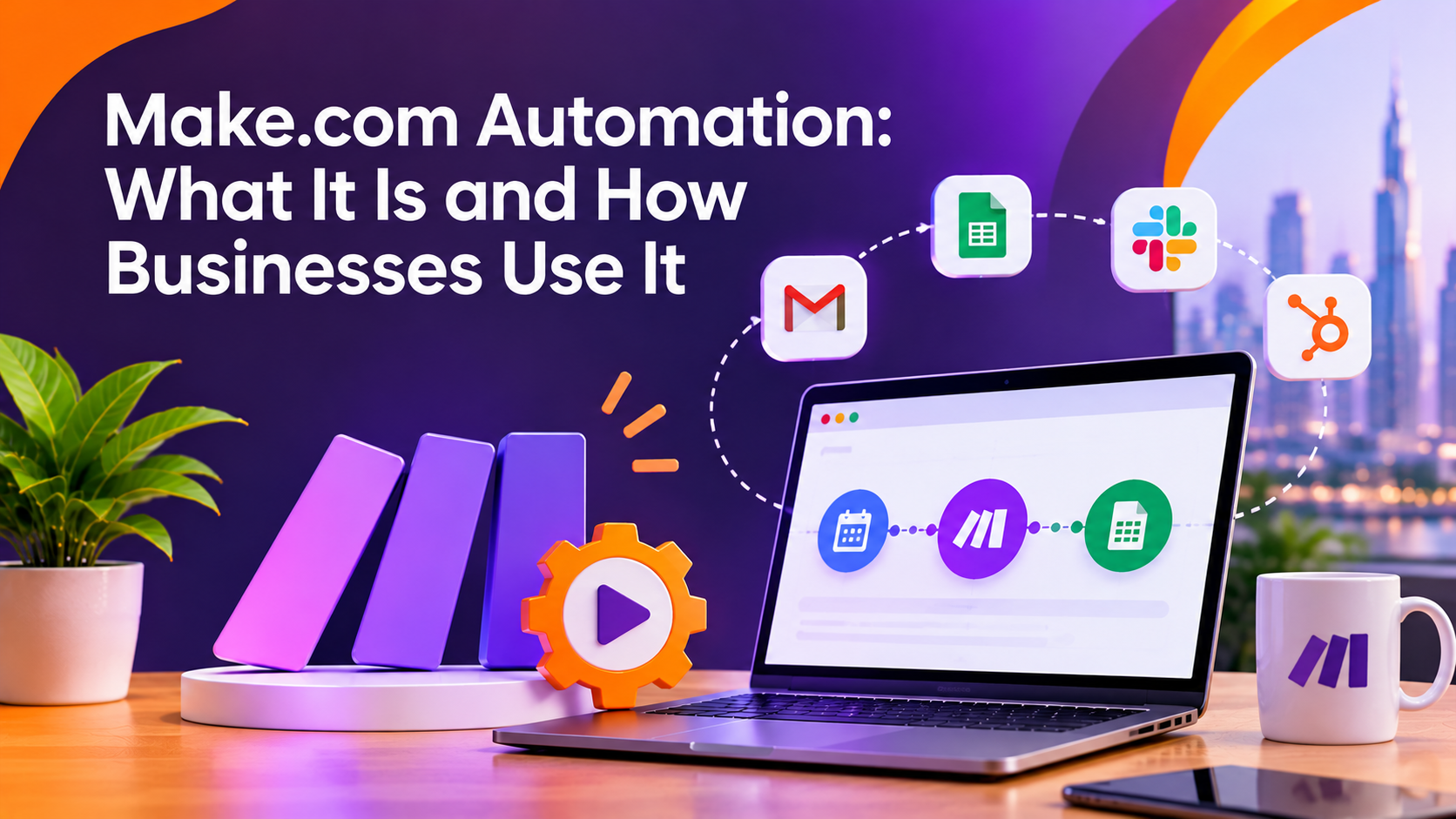
Make.com automation connects the software a business already uses so information moves between tools without someone copying and pasting it by hand. It's built around visual workflows called scenarios, which link apps like a CRM, email platform, spreadsheet, or payment processor. This article looks at what Make.com actually does, how the platform works, and where it tends to help or fall short for a growing business.
What Make.com Automation Is
Make.com, formerly known as Integromat, is a workflow automation platform. It lets a business connect two or more apps and set rules for how data should move between them. When something happens in one system, for example, a new form submission, a paid invoice, or a new row in a spreadsheet, Make.com can trigger an action in another system automatically.
The platform is built around visual scenarios rather than code. A scenario shows each step as a connected module, so someone building the workflow can see the entire process from trigger to final action in one view. This makes Make.com automation approachable for teams that don't have a developer on staff, while still allowing more advanced logic for teams that do.
How Make.com Connects Your Business Tools
Every Make.com scenario starts with a trigger, which is the event that starts the automation. From there, the scenario moves through a series of modules that each perform one action: filtering data, transforming a field, sending a notification, or updating a record in another app.
Make.com supports connections to a wide range of common business tools, including CRMs, email marketing platforms, project management apps, e-commerce platforms, and spreadsheet or database tools. Scenarios can run on a schedule, respond instantly to an event, or wait for multiple conditions before continuing. Businesses can also build in filters and conditional branches, so the workflow only continues when specific criteria are met, rather than running the same way every time.

Common Ways Businesses Use Make.com
Businesses tend to reach for Make.com automation when a manual process is repetitive, prone to error, or slows down a team that could be spending time elsewhere. A few examples of how this shows up in practice:
- Lead handling: A form submission on a website automatically creates a contact in the CRM, sends a notification to the sales team, and adds the lead to a follow-up sequence.
- Order and invoice workflows: A completed sale in an e-commerce platform triggers an update to inventory, a confirmation email, and an entry in accounting software.
- Internal reporting: Data from several tools is pulled into a single spreadsheet or dashboard on a schedule, instead of someone compiling it manually each week.
- Customer communication: A support ticket, booking, or sign-up in one system triggers the right follow-up message without a staff member sending it directly.
These use cases share a common thread. The underlying business process already exists. Make.com automation is removing the manual, repetitive step in the middle of it, not replacing the process itself.
What Make.com Does Not Solve
Make.com automation connects tools and moves data. It does not fix a broken process on its own. If the underlying workflow is inconsistent, has unclear ownership, or relies on data that isn't kept accurate, automating it usually just makes the same problems happen faster.
The platform also has practical limits. Complex scenarios with many branches and conditions can become difficult to maintain if they aren't documented or structured clearly. Some integrations require more technical setup than others, particularly when connecting custom systems or older software that wasn't built with modern APIs in mind. And any automation is only as reliable as the apps it connects to, so a change on one platform's side can affect a scenario that depended on it.
None of this means Make.com is a poor tool. It means the setup matters. A scenario built around a clear process, with proper error handling and testing, behaves very differently from one that was rushed together to solve an immediate problem.
When a Business Should Consider Professional Setup
A business exploring make.com automation for the first time can often start with a single, well-defined workflow, such as automating one form-to-CRM connection. This is a reasonable way to learn how the platform behaves before expanding further.
Professional setup becomes more valuable once a business is trying to connect several systems at once, needs custom logic across departments, or wants automation tied into a broader AI or workflow strategy rather than a single fix. At that point, the questions shift from "Can this be automated?" to "How should this be structured so it stays reliable as the business grows?"
This is where 10turtle's AI Automation team gets involved. Rather than treating automation as a one-off task, the team works from the underlying business process first and the technology second, since a workflow that fits the process it's built for is the one that keeps working after the initial setup.
10turtle also offers a free audit that reviews areas such as automation opportunities and prioritized improvements, which can be a useful starting point for a business unsure of where manual work is costing the most time.
If a business already has a website, branding, or existing systems in place, having automation coordinated under one accountable partner, rather than split across separate vendors, tends to reduce the back-and-forth that comes with connecting everything correctly.
Frequently asked questions
1. What is Make.com automation?
Make.com automation is a way to connect different business applications so information can move between them automatically. It uses visual workflows called scenarios to connect tools such as CRMs, email platforms, spreadsheets, payment systems, and other business software.
2. How does Make.com automation work?
Make.com automation starts with a trigger, such as a new form submission, completed payment, or updated record. The scenario then performs one or more actions, such as creating a CRM contact, sending an email, updating a spreadsheet, or notifying a team member.
3. What are common uses of Make.com automation?
Businesses commonly use Make.com automation for lead management, order and invoice processing, internal reporting, customer communication, and data synchronization. It is especially useful for repetitive tasks that require information to be transferred between multiple applications.
4. What are the limitations of Make.com automation?
Make.com can automate many workflows, but it does not automatically fix inefficient business processes or inaccurate data. Complex scenarios may also become difficult to manage without proper structure, documentation, testing, and error handling. Custom integrations may require additional technical knowledge.
5. When should a business consider professional Make.com automation setup?
A professional setup can be useful when a business needs to connect multiple systems, implement complex workflow logic, or integrate automation with a broader AI strategy. A professional team can help design workflows around the business process so they remain reliable and easier to maintain as the company grows.